Don't throw out that cheap laptop for Android's desktop mode just yet.

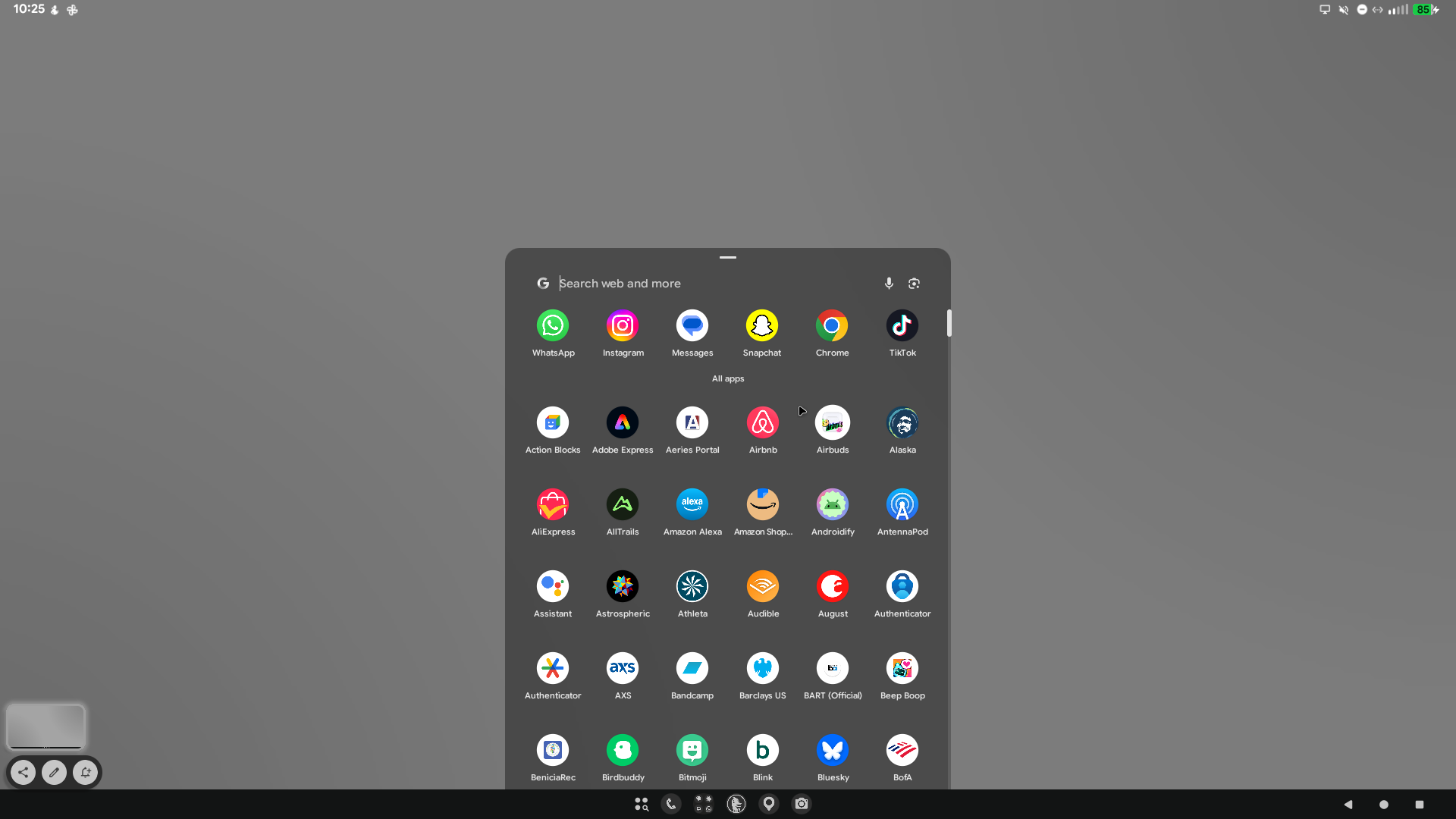
Android users have been chasing the phone-as-a-PC dream since the early days of Android. (Remember the Motorola Atrix?) The March Pixel Feature Drop finally unlocks desktop mode for Pixel users. The Pixel 9 and newer models can flip into an experimental desktop mode when you plug in a docked monitor, keyboard, and mouse. We're technically closer than ever to realizing the dream. But as any Android Faithful knows, a desktop-like UI and an actual desktop workflow are two very different things.
If you try to swap out your laptop for your Pixel device and a USB-C dock, you will have immediate success if you've already downloaded this week's major software update. Folks on Reddit are finding their way around the new desktop mode just fine. I also plugged it into my laptop dock, and the peripherals carried over fine. My Samsung Odyssey G3 monitor, Logitech Lift mouse, and Keychron mechanical keyboard slotted in there with ease.
But not even five minutes into the experiment did I realize what I was putting my Pixel 10 Pro through. On paper, it's a very capable device with the Tensor G5 and 16GB of RAM. But the poor thing was absolutely heating up, just like my laptop does when I'm mulling through a bunch of memory-heavy apps. The difference is that my laptop is a full-blown Windows machine with a dedicated GPU, fans, and room for thermal dissipation. Yes, we've come a long way with smartphones in the current era, and they've become much more thermally tolerant. But, like, you can't expect them to power a giant monitor, a bunch of external storage devices, and peripherals for hours on end and still feel snappy.
Android's desktop mode is just mobile Android with floating windows that can be dragged and scaled. The cursor feels "floaty," like it was never meant for the original user experience but was added anyway. There's input lag when you move quickly in desktop mode, and there's no useful context menu when you right-click.
It's splendid to see Google laying the foundation for Android's currently performative desktop mode. However, this still feels like a hobbyist's thing and not something to rely on quite yet when you're touring the country and trying to avoid the bulk of a laptop. What am I saying? You'll have to bring a monitor, keyboard, mouse, and a dock to get this working, anyway.
We had Juan Bagnell fill in for Ron Richards this week! We talked about the March Pixel Feature drop and discussed the MWC hardware announcements. We also addressed some listener feedback. Tune in!