
Part three of our three-part review series on the Samsung Galaxy S26 Ultra covers the camera's wider aperture and Horizon Lock mode.

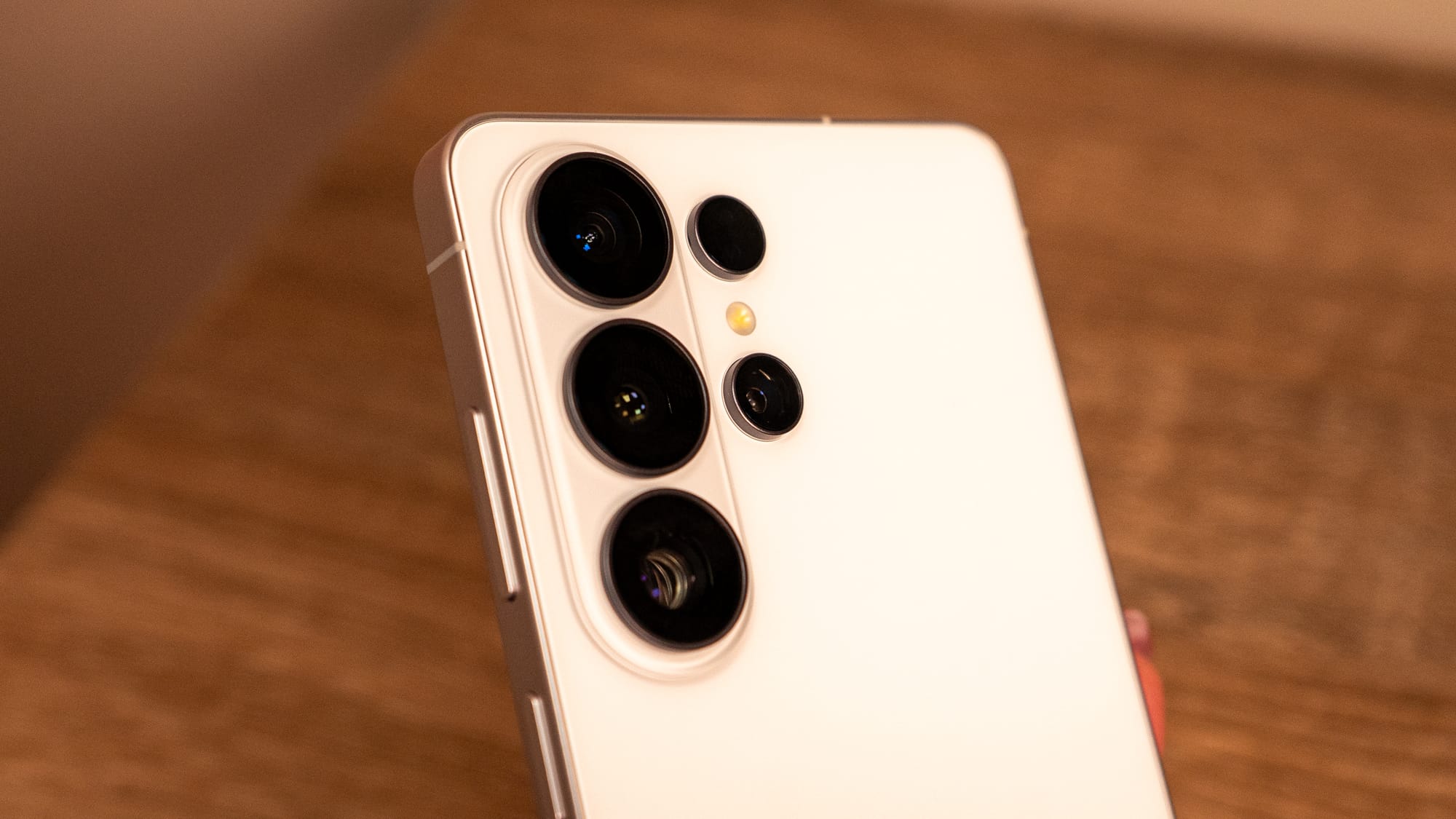
I've been using the Galaxy S26 Ultra for several weeks. One of my favorite things about the Ultra lineup of the past few generations is that it's the one Samsung model that's purely focused on computational photography. While the other Galaxy S26 models have their own algorithms that set them apart, the coup de grâce of camera sensors and capture capabilities is typically reserved for the Galaxy Ultra.
On paper, the Galaxy S26 Ultra is a beastly camera system, with specifications that easily surpass the Pixel camera's and even the iPhone's in some cases. Here's what's in the Galaxy S26 Ultra camera system:
There's also a 12-MP front-facing camera with a f/2.2 aperture. While I'd someday love to do a full-blown look at the selfie camera and how young it makes me look, I'm going to focus more on the rear-facing cameras since they're the main headliners.
Samsung opted for a wider aperture on this year's Galaxy S26 Ultra to undermine the Pixel 10 Pro's famously better night-shooting capabilities. The aperture is also larger than the iPhone 17 Pro's, giving Samsung a major bragging point. But as is always the case with Samsung when it hones in the marketing about how it's surpassed others, it's a different experience in real life. On the spec sheet, it's bragworthy, but in practice, the phone makes everything look brighter.
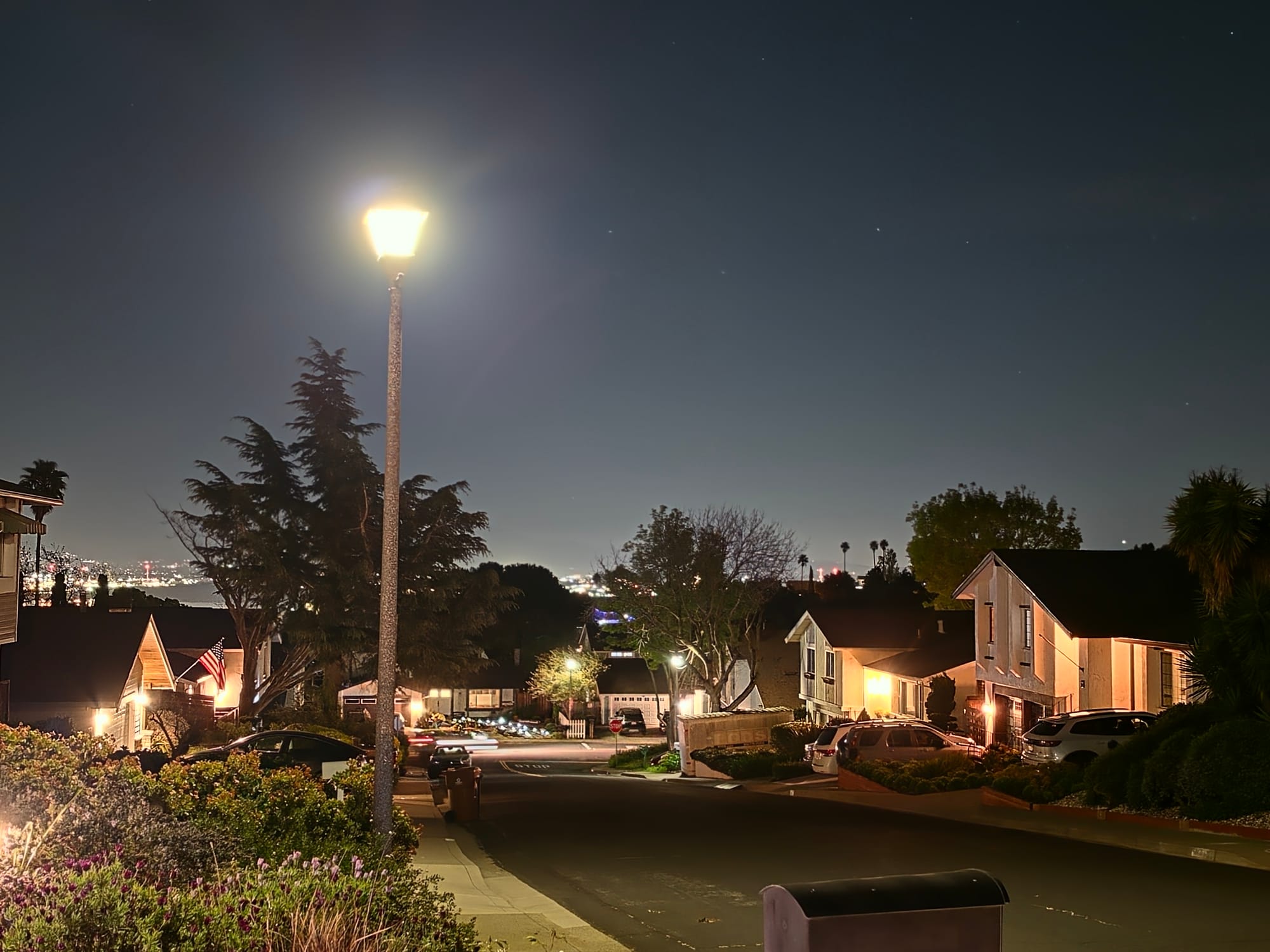
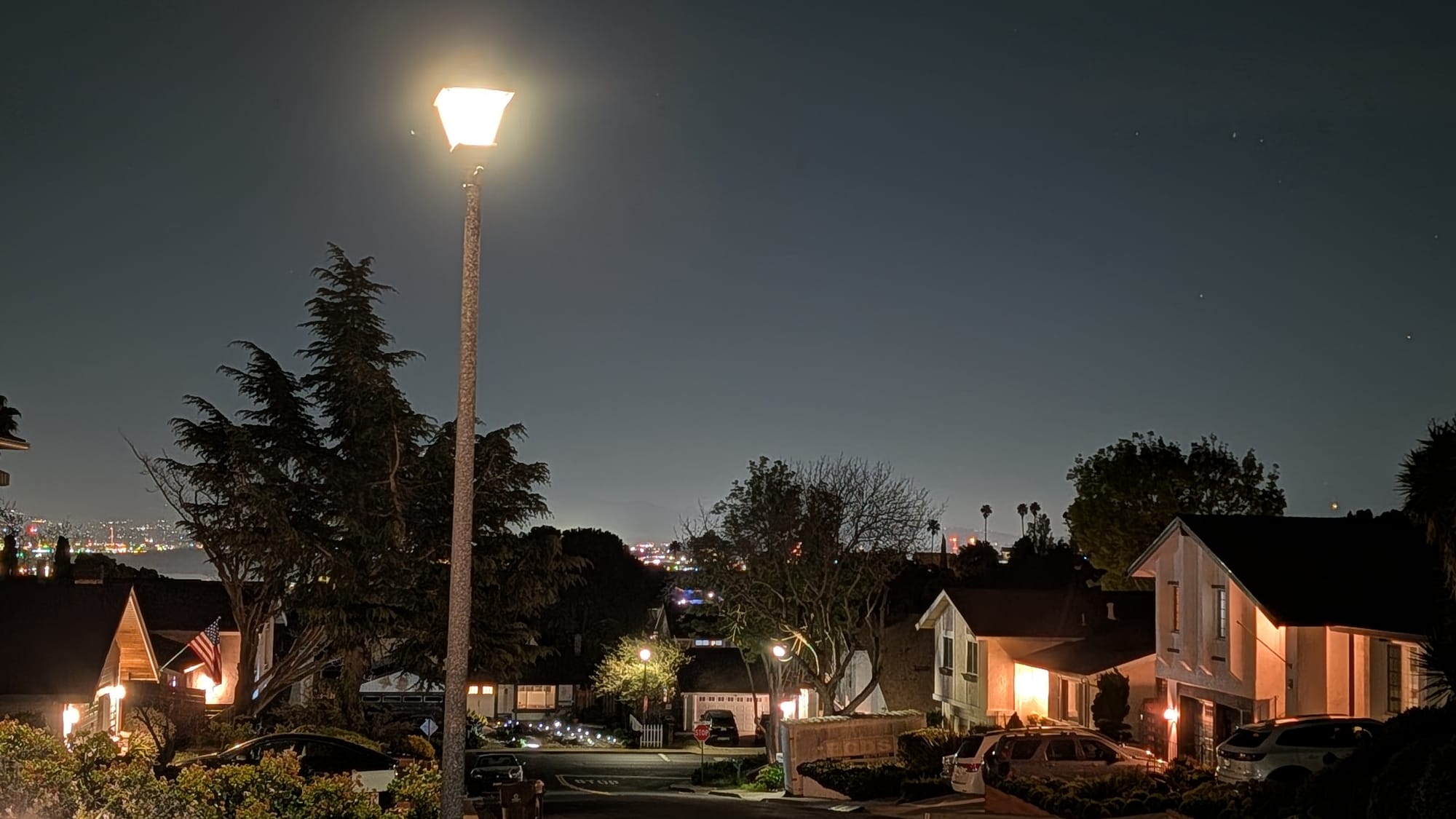
The Galaxy S26 Ultra (right) vs. the Pixel 10 Pro (right)
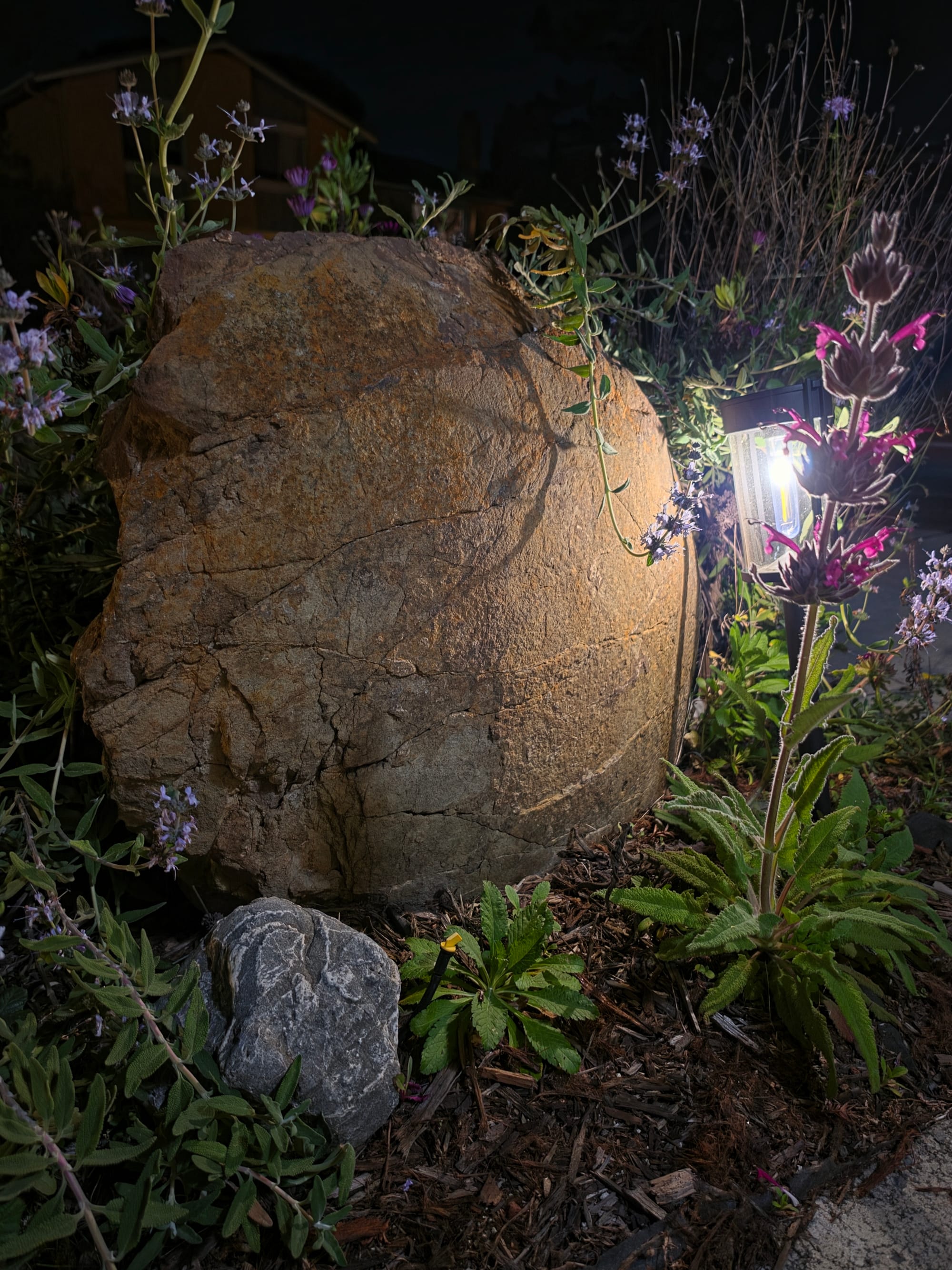
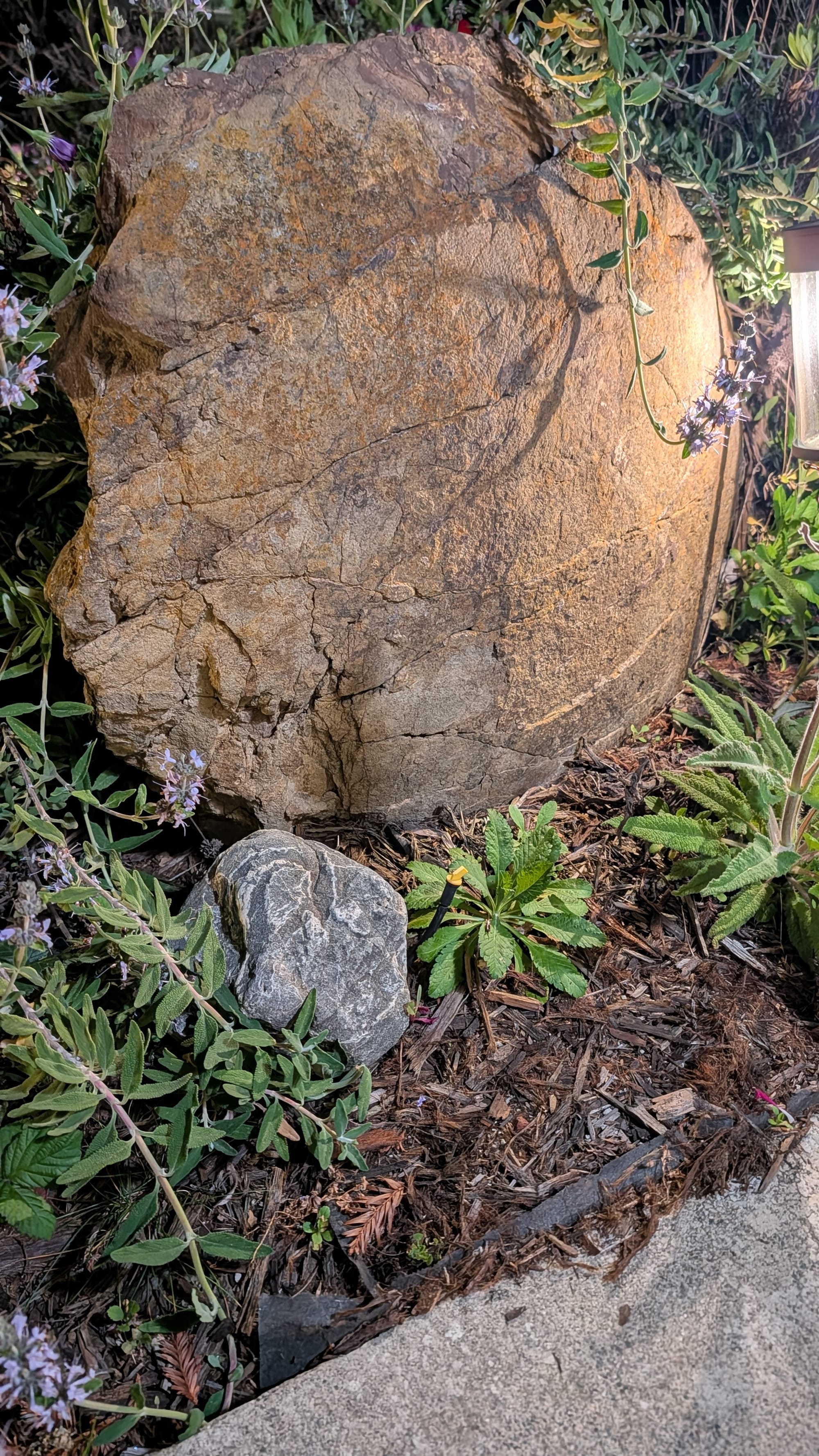
The Galaxy S26 Ultra (right) vs. the Pixel 10 Pro (right)
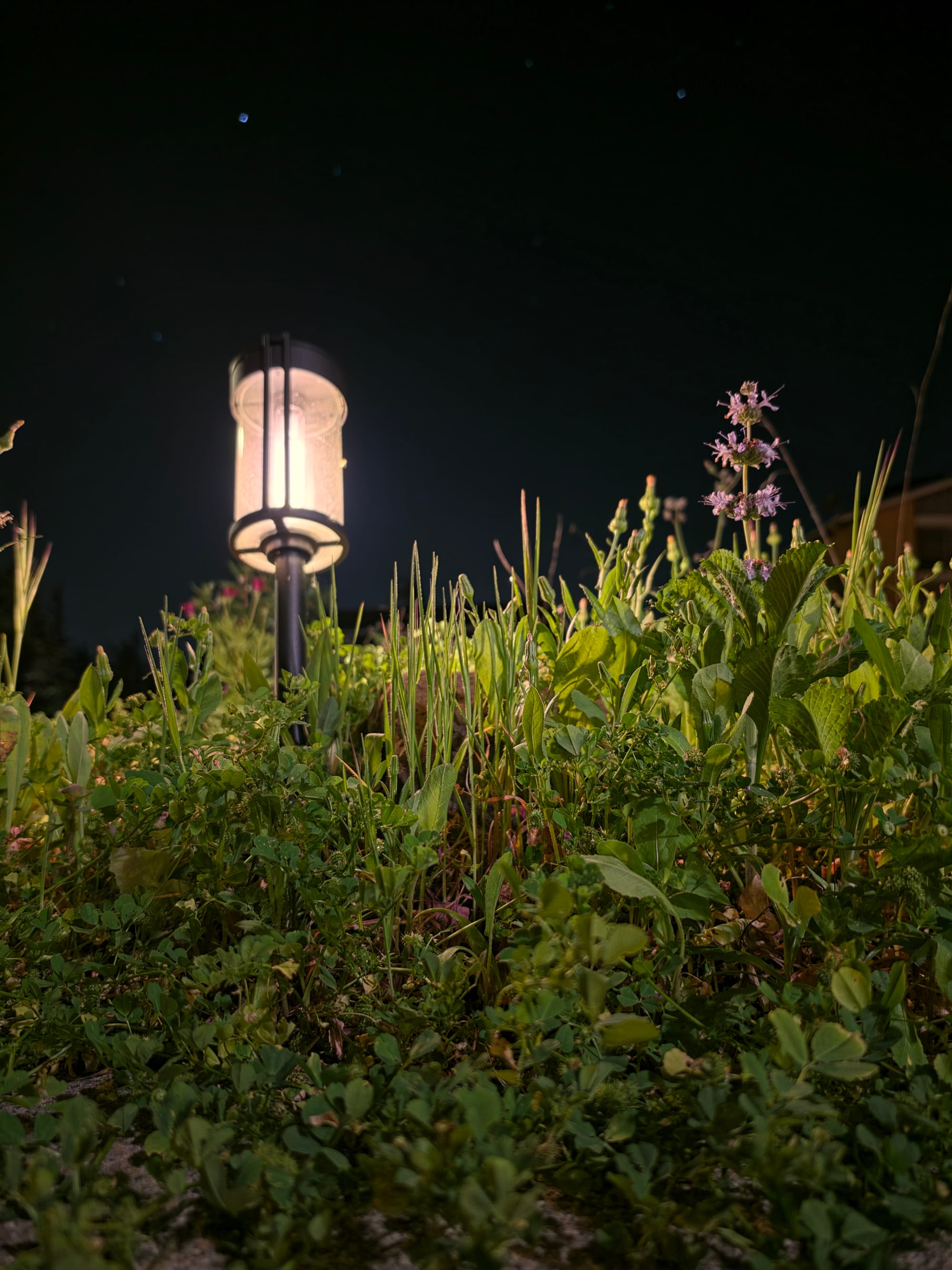
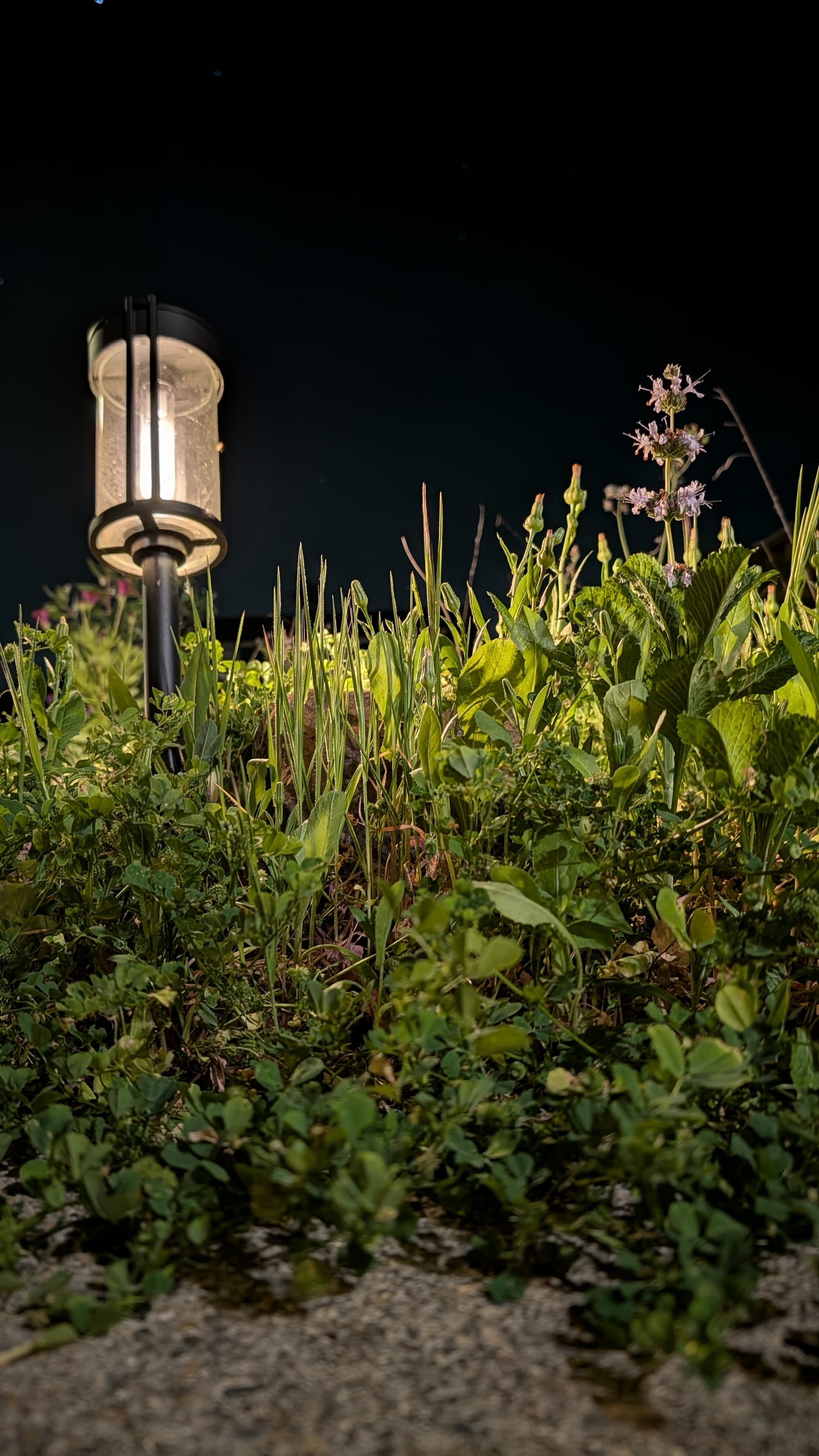
The Galaxy S26 Ultra (right) vs. the Pixel 10 Pro (right)
Late evening in the quiet suburbs against the backlight of industry can make for some interesting night shots. In the street lamp and rock garden imagery above, the f/1.4 aperture is doing exactly what Samsung promises: it's flooding the image with light. The shadows in the grass are clean, and there isn't as much grain as in the Pixel 10 Pro's samples. It also has the propensity to take it too far. The artificial lighting in the Samsung photos introduces highlight clipping around whatever's touching it, whereas the Pixel's preserves more detail.
When the sun is up, the 200-MP sensor defaults to 12-MP. While Samsung has made a ton of noise about the new 24-MP AI Fusion model that supposedly splits the difference between speed and detail, you have to download the new Camera Assistant app from the Galaxy Store to enable it. For the sake of this review, and for most people who won't go hunting for that extra app, I stuck with the out-of-the-box 12-MP experience to see how it stacks up against the Pixel 10 Pro's 12-MP output.
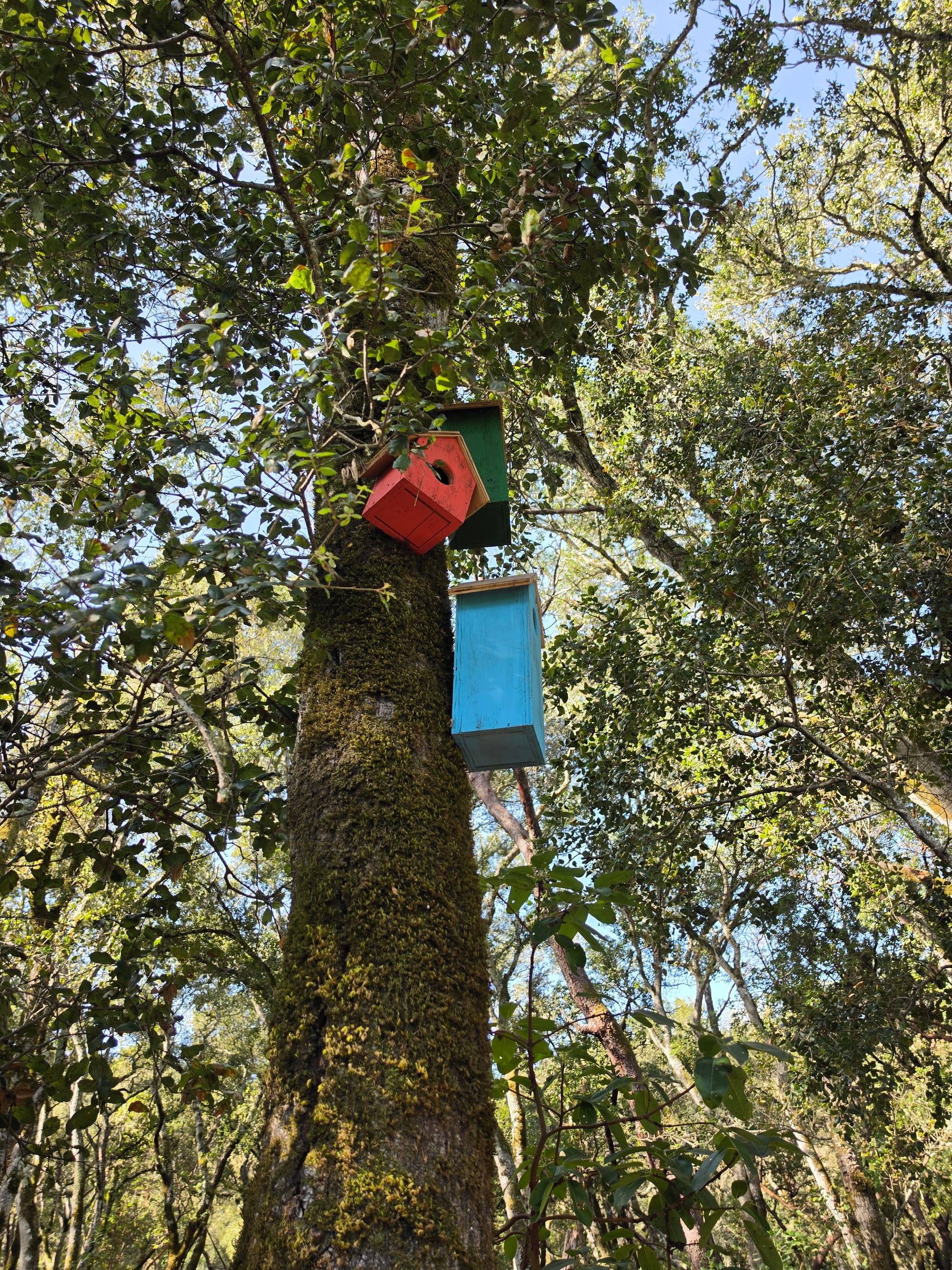
The Galaxy S26 Ultra (right) vs. the Pixel 10 Pro (right)
The Galaxy S26 Ultra (right) vs. the Pixel 10 Pro (right)
The Galaxy S26 Ultra produces clean, sharp images, though it struggles with some physics. The field of view on the main camera is 23mm, or about 85 degrees, which is wider than the Pixel 10 Pro's 82 degrees. While that can be a tiny win for fitting more of the scene in the frame, it comes with a slight catch. Because it's a wider lens, you have more opportunities for wide-angle warping at the edges. You'll notice it when you shoot groups of people or linear objects, where the relative ratios throughout the composition start to look just a little "stretched" compared to the Pixel's more natural framing.


The Galaxy S26 Ultra (right) vs. the Pixel 10 Pro (right)
The first telephoto camera is a 10-MP camera with a f/2.4 aperture and a 3x optical zoom. The resolution hasn't changed from last year's Ultra release, and the sensor feels just as responsive as on the Galaxy S25 Ultra. The 3x zoom-in is the perfect crop for portraits, and I found it kept up with my kid's movements even in harsher lighting.
The secondary 50-MP telephoto lens is the major upgrade for this year's Galaxy S26 Ultra. It has a f/2.9 aperture and a 5x optical zoom, and, in particular, this lens uses Samsung's new ALoP (All Lenses on Prism) architecture, which, the company says, enabled it to keep the lens thin on the outside while still providing a wide field of view on the inside. Okay, then!
Because of the way the lenses are stacked in the new ALoP (All Lenses on Prism) architecture, the minimum focus distance on the Galaxy S26 Ultra has regressed to 52cm. Compare this to the Pixel 10 Pro, which leaned into its software strengths this year with a dedicated Tele-Macro mode and works as closely as 15cm in some reported cases. In practice, this means you can't use the S26 Ultra's 5x zoom for intimate, up-close shots—that's what the first telephoto lens is for, and what the camera will default to when you scale it back to 3x.
You will quickly notice that the Ultra struggles to lock onto objects when you're trying to get a tight shot of a flower or, in my case, the screen of a Tamagotchi. The Pixel can lock focus on that same 5x magnification from just a few inches away.
Fly through the air on the Galaxy s26 Ultra's Horizon Lock mode
Beyond still photography, there are a couple of worthy quality-of-life additions to the Galaxy S26 Ultra that Google will consider for its Pixel Pro line. The feature I most covet is Horizontal Lock, a new toggle in Super Steady video mode. It uses the Galaxy S26 Ultra's internal gyroscope and the ultra-wide camera's wide field of view to keep the horizon level even while physically rotating the phone. It does work! It makes panning video look professional and smooth, eliminating that eye-aching jitter that usually plagues handheld walk-and-talks.
Samsung's way of leveling feels more mechanically robust than Google's AI-enhanced way on the Pixel 10 Pro. I plan to use the Galaxy S26 Ultra exclusively over the next few months, with its Horizon Lock, to record video for social media. Whether it translates into more views is another thing entirely, but at least you can't blame it on video shakiness.
It's a loaded sentiment for the final section of this three-part review, but hear me out: I see a striking parallel between the Galaxy S26 Ultra's camera strategy and implementation of AI across the Galaxy ecosystem this year. Everything is stuffed in there "just in case" the user decides on a whim to try something new.
But unlike Google's Pixel, which uses an onboarding flow to guide you through new Pixel features whenever there's an update, Samsung's most interesting capabilities are hidden in drawers and behind closet doors. If you don't hunt for the toggle, you won't see Horizon Lock. And if you don't know how to download a separate app, you miss out on a model-specific 24-MP mode. It makes the Ultra feel like it's more for show so that Samsung can claim it was first to a feature without ensuring it's actually discoverable.
On the plus side, if you're upgrading to the Galaxy S26 Ultra this year from the Galaxy S22 or S23 Ultra, you're getting a major improvement in camera performance that lets you capture twice as much light as before.