We know the team in Mountain View like to keep us busy and today, boy did they ever! Today Google announced the roll out of Android 17, Wear OS 7, and a June Pixel Drop all at once, with a wave of updates spanning your phone, your watch, and the AI features that tie them together. It's the kind of day that makes your head spin so here's everything worth knowing, in one place.
Android 17, rolling out to Pixel today
The much anticipated Android 17 hits Pixel phones first, with other eligible devices following throughout 2026. Select devices will get the Gemini Intelligence features, announced during The Android Show I/O Edition in Early May, later this summer. This release leans heavily into productivity, entertainment, and security, and there's a genuinely useful mix of headline features and quality-of-life touches.
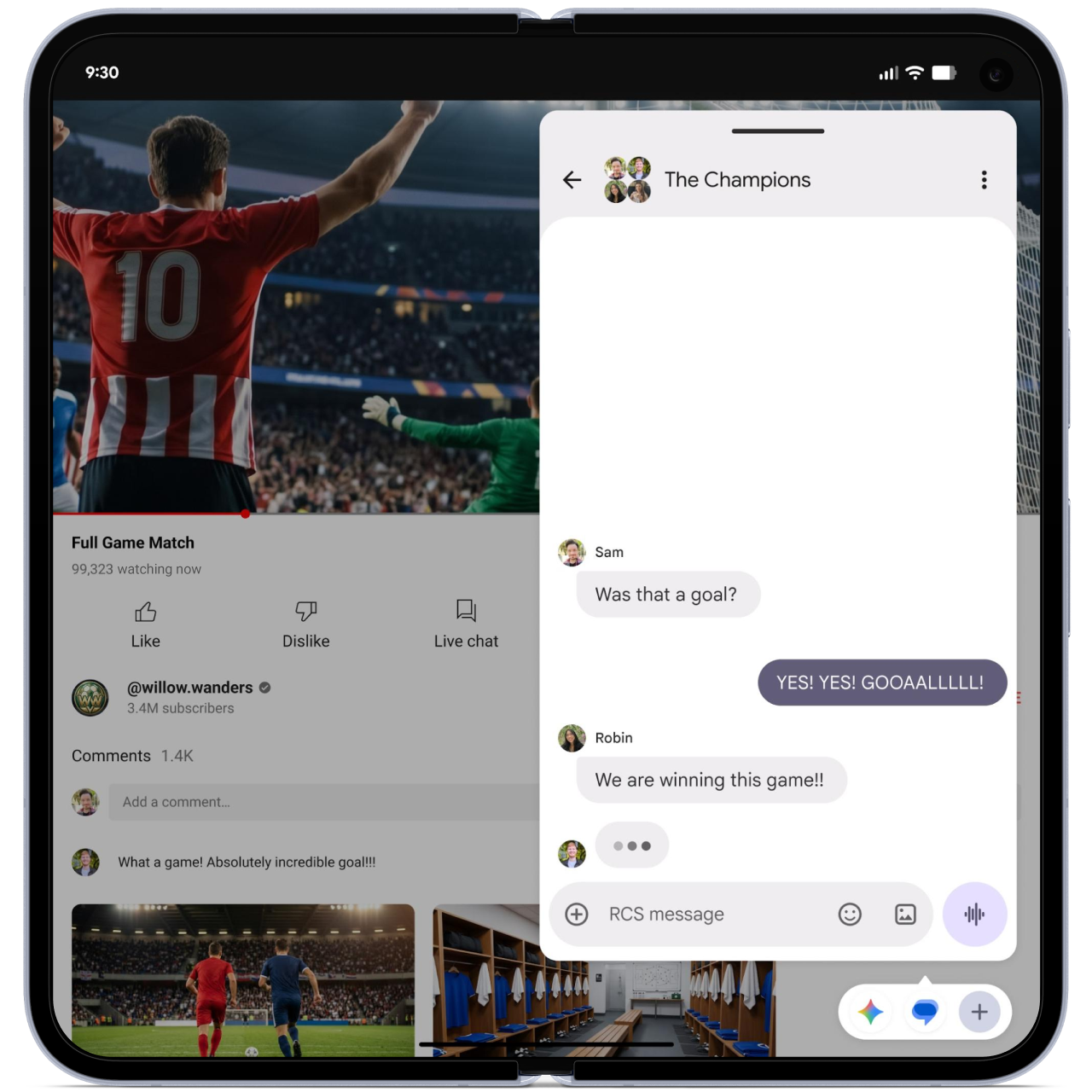
Bubbles: Bubbles are back! Turn just about any app into a compact, floating window that hovers over whatever you're doing. Long-press an app icon and it pops into a bubble you can glance at and tap into without losing your flow, which is handy for keeping notes, maps, a tutorial, or the game score within reach but out of the way. On big screens and foldables, your recent bubbles dock into a new Bubble Bar at the bottom of the screen, so you can switch between them with one tap and resize or maximize them as needed.
The World Cup is better with Bubbles
Screen Reactions: Your selfie camera is now baked right into screen recording, so you can capture your face and your screen at the same time. It's your own built-in green screen for "one-take" reaction videos over apps, sites, and trending clips, with an updated toolbar and a smoother recording flow, and no extra apps required.
0:00
/0:28
Screen Reactions in Action
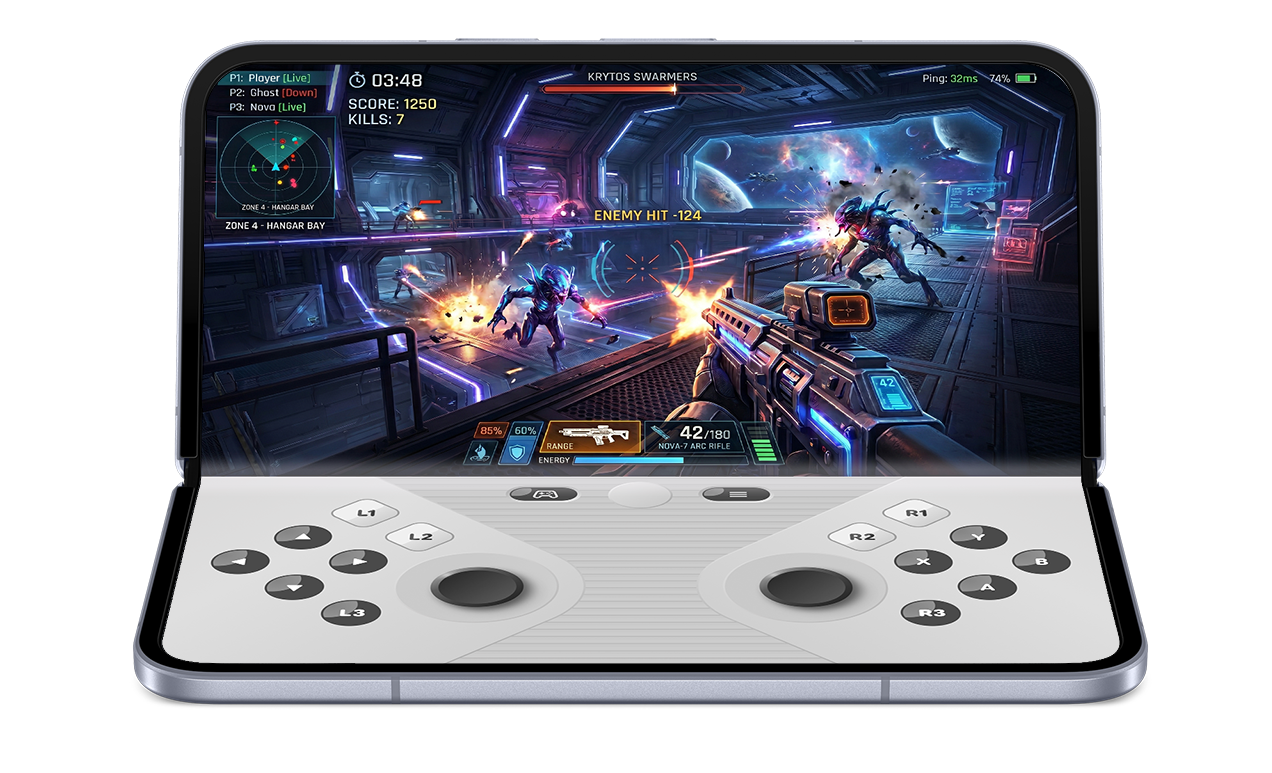
Foldable gaming mode: Foldables get an optimized 50/50 layout with the game view up top and a dynamic gamepad below, making the most of all that screen real estate. It's enabled in Android 17 and rolling out in the coming months, with native controller remapping if you prefer to bring your own. Google also tuned memory cleanup to cut down on frame drops and stutters in high-def games.
Gaming on Foldables Is Pretty Cool
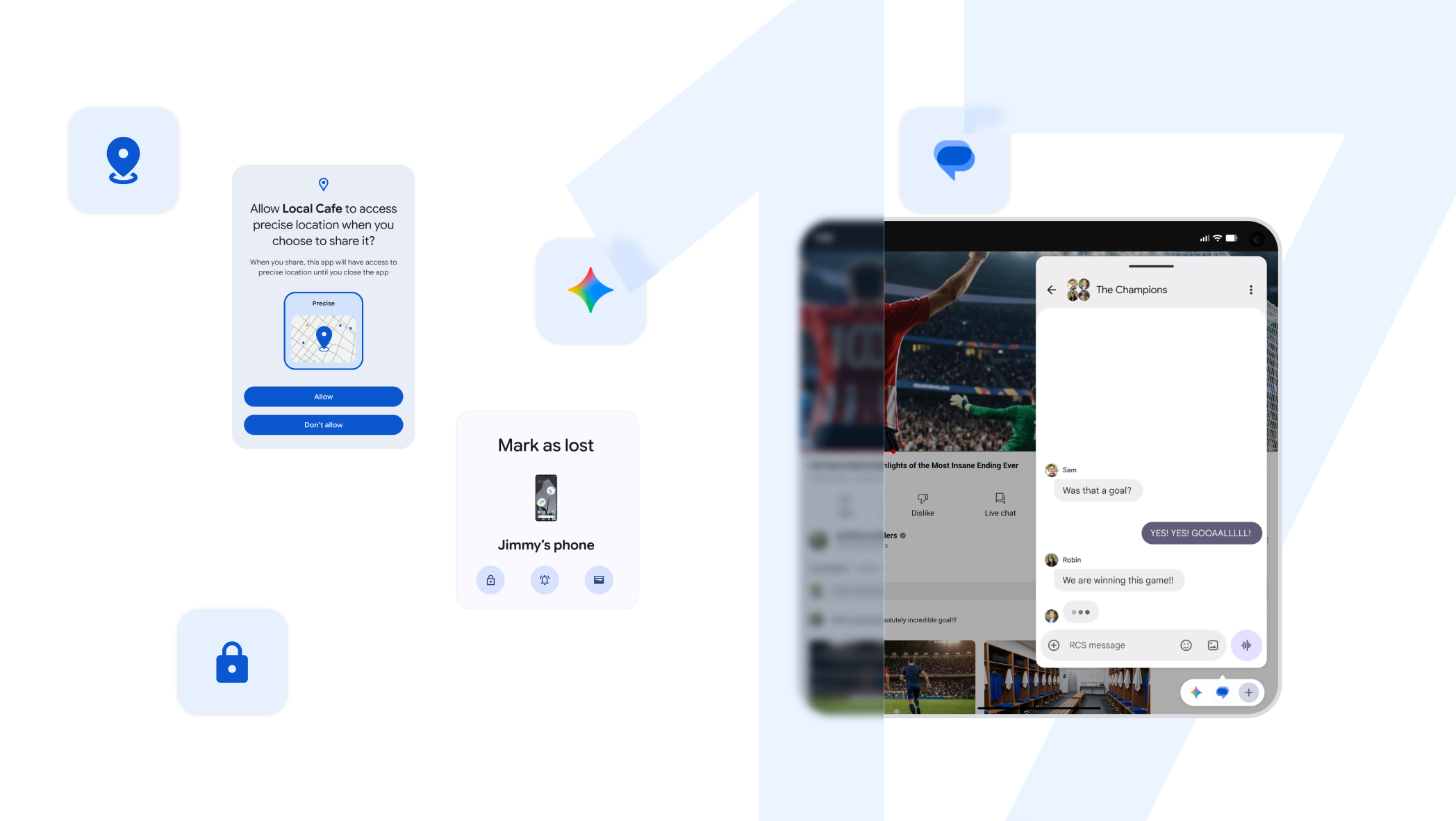
Security and safety: This is a meaty update. You get temporary precise-location grants, the ability to share only specific contacts instead of your whole address book, and an enhanced "Mark as lost" in Find Hub that locks a missing phone behind your biometrics, so even a thief with your passcode can't get in or turn off tracking. There's also stronger Live Threat Detection, enhanced Advanced Protection, and tougher PIN-guessing limits with longer wait times between failed attempts.
Parental controls: Built-in parental controls are expanding beyond Pixel to all Android devices, so you can set screen-time limits and content filtering with a PIN, no Google Account linking needed.
And there's more under the hood, including a setting to hide app names on your home screen, a dedicated volume control for your assistant, more control over the expanded dark theme, and new app memory limits that keep any single app from hogging your RAM, which should help overall performance and battery life. You can see all the details of Android 17 over at the official Android 17 site.
Wear OS 7, rolling out to Pixel Watch today
Wear OS 7 is a meaningful step up for anyone who lives in their watch, and Google says more than half of Wear OS users wear theirs seven days a week, so the focus on all-day reliability makes sense.
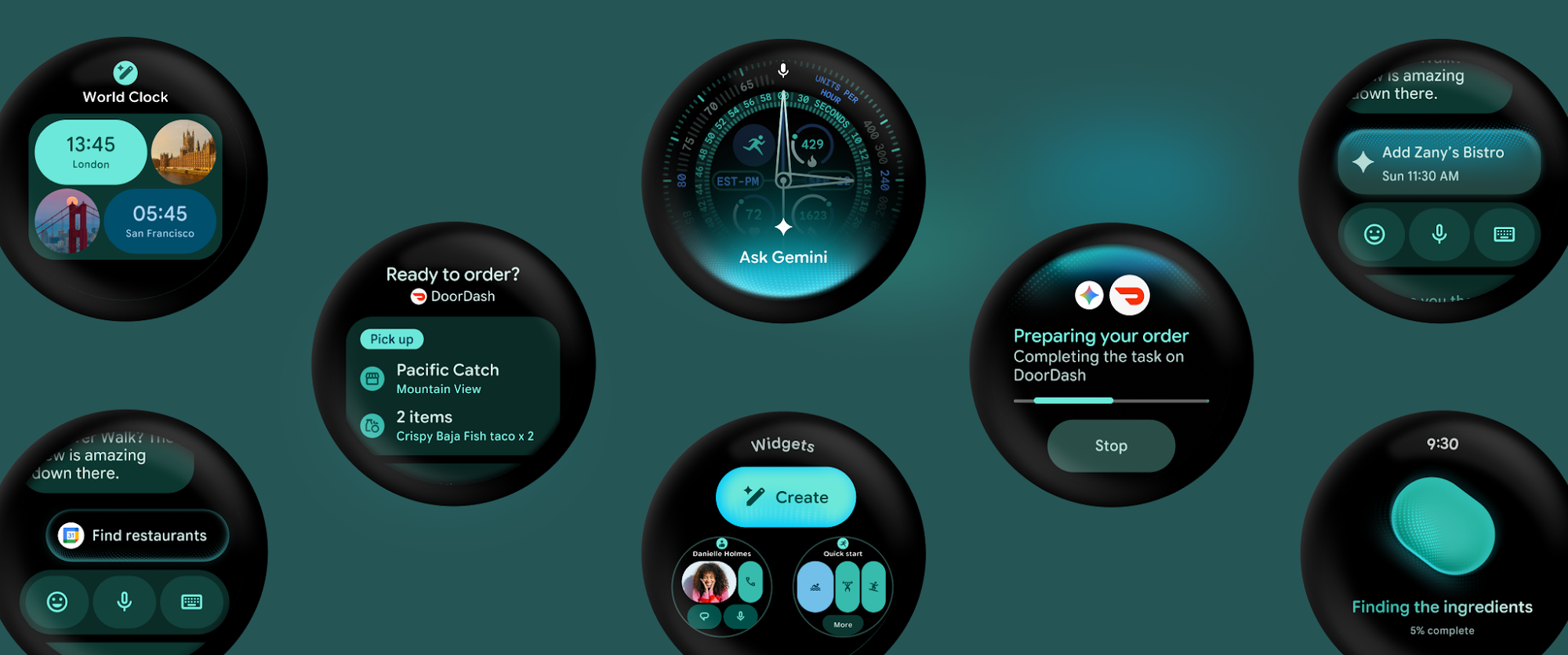
Live Updates: At-a-glance tracking comes to your wrist, mirroring ongoing stuff from your phone like game scores, food delivery times, and workout progress automatically. It surfaces the info you want exactly when you want it.
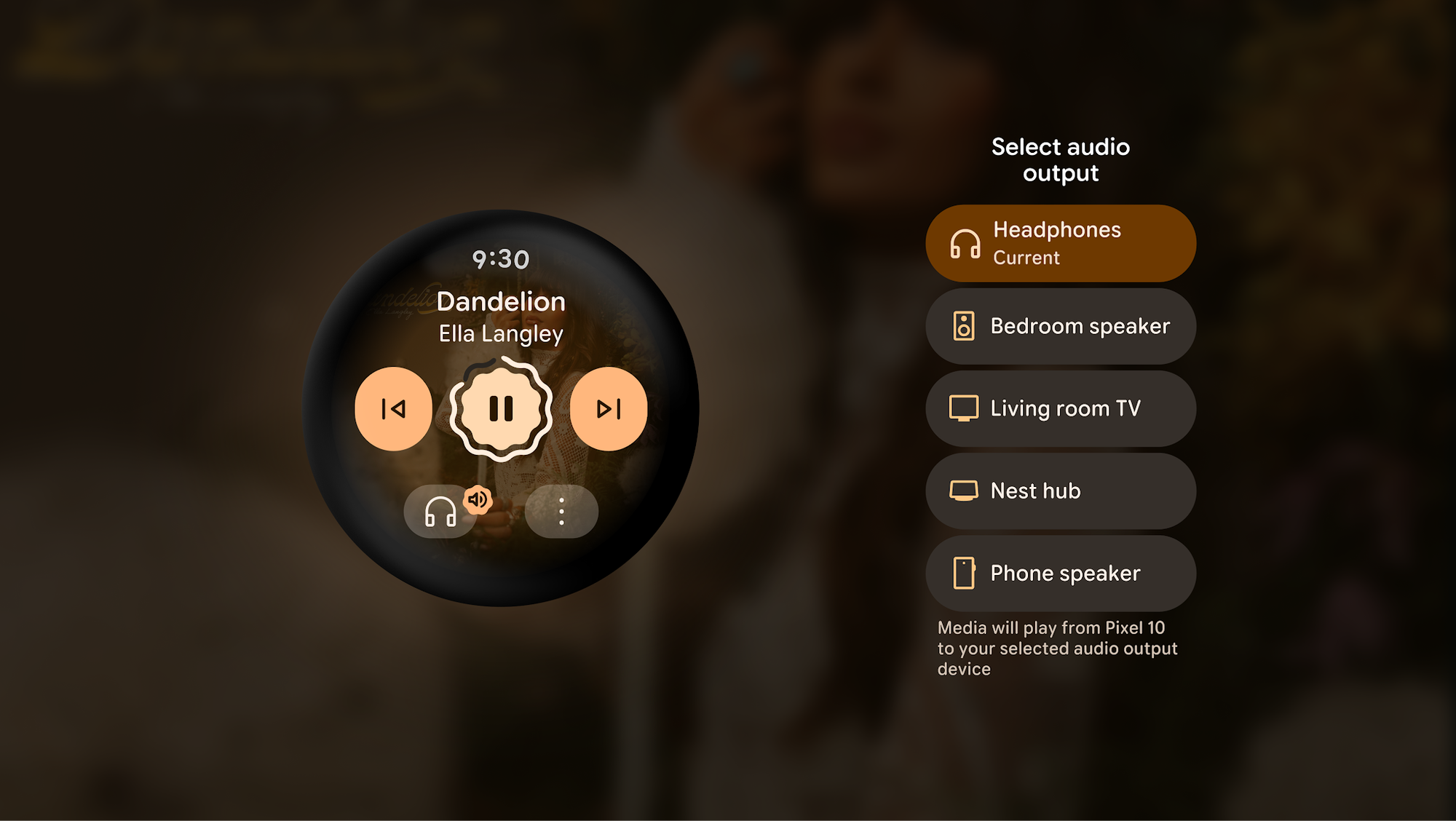
Multi-device support: Much tighter this time around, built from the ground up to play nicely with your other gear, including headphones and intelligent eyewear (launching later this year). Snap a photo on your audio glasses, for example, and you can review it with a quick glance at your wrist, and a media output switcher lets you bounce audio between headphones, home speakers, and more.
Multi-step app automation: Let Gemini handle tasks for you, from reserving a front-row spin bike to ordering your usual.
Personal Intelligence: Suggestions drawn from your Google apps and chat history, connecting the dots in ways that are actually useful to you.
Better battery: Thanks to deep, system-level power optimizations, you can expect up to a 10% improvement when upgrading from Wear OS 6. More wrist time, less charging.
The June Pixel Drop, rolling out today
The June Pixel Drop is available across supported Pixel phones, tablets, and watches, and it's heavy on the AI creativity tools this time around.
On the phone side:
Gemini Omni: A new conversational way to create and edit video from any mix of text, photos, and video, with high-quality results.
0:00
/0:06
Lyria 3 in Gemini: A state-of-the-art music generation model that turns text prompts and images into custom tracks you can tune for style, vocals, and tempo, then share.
Quick Share: AirDrop compatibility expands to Pixel 9a and Pixel 8a for two-way file sharing.
Voice Translate: Comes to the Pixel 10a, translating phone conversations in each caller's own voice so they feel more natural.
Take a Message: Expands to more markets and adds Custom Greetings, so you can record a personalized outgoing message for calls you can't pick up, while still getting real-time transcripts.
On the watch side:
Emergency Sharing: Folding into Pixel Watch's core detection features. If a severe event like a car crash, fall, or loss of pulse is detected, your Pixel will contact emergency services and now also notify the emergency contacts you've chosen. You can customize who gets alerted for each detection type in settings.
Google is definitely applying the "Go Big or Go Home" strategy to today's rollout, with updates across the entire ecosystem at once. Your phone gets more capable and more secure, your watch gets smarter and lasts longer, and Gemini keeps weaving itself deeper into everything as they continue the trend of making the AI tools more useful than gimmicky.
We get into all of it, the features we're most excited about, the ones we're still skeptical of, and how it all fits together, on this week's episode of Android Faithful. Make sure you listen or watch to hear our full discussion, and let us know which of these updates you're most excited to try!