Google's taking big swings with the future of Android and here's all the important details

Well. That was a lot.
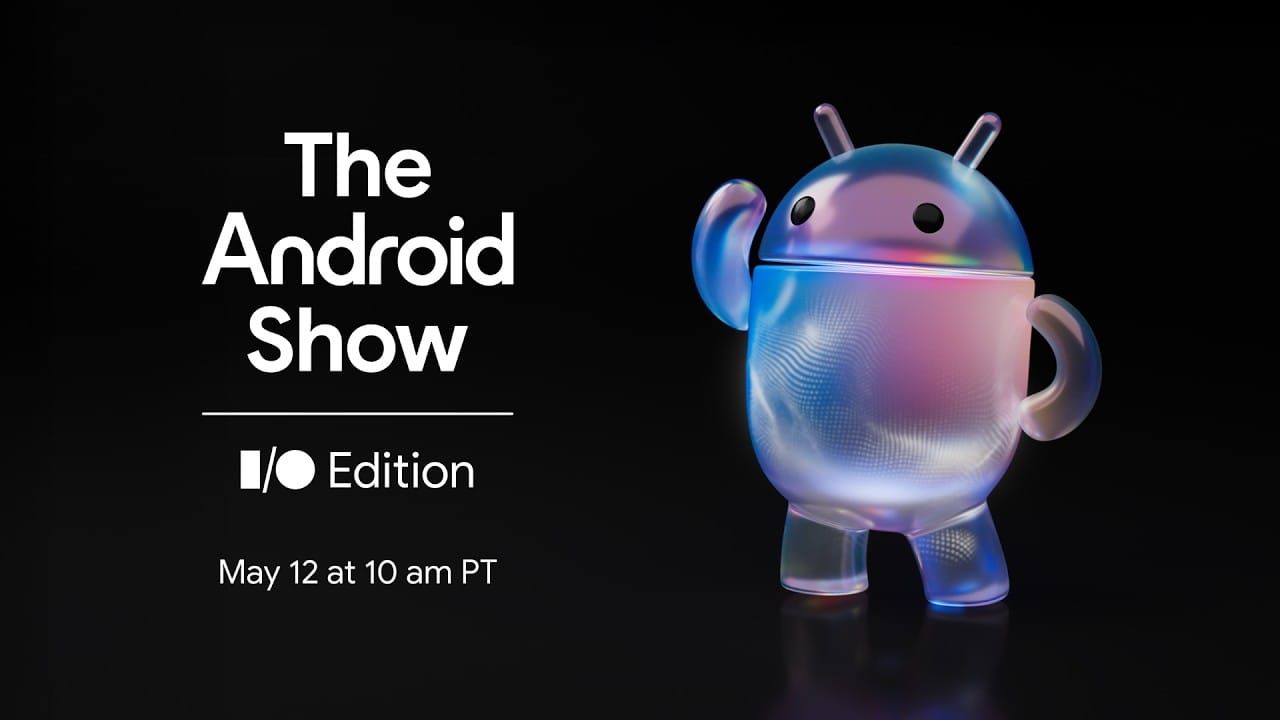
Like last year, Google used The Android Show to get a head of Google I/O to make their Android announcements. What was new to 2026 was The Android Show: I/O Edition was positioned to make the case that this is the biggest year for Android in a decade, and after sitting through everything, it's hard to argue. Gemini is showing up everywhere now: your phone, your browser, your car, and (finally!) a brand new category of laptop. Google is also doing things we genuinely didn't expect to see in our lifetimes, like shipping AirDrop interop and working with Apple to make switching from iPhone painless. So with that, it's a new moment in time for Android.
There's a ton to cover, so here's the wrap-up. Click through to the Google posts for the deep dives.
Google is reframing Android as an "Intelligence System" rather than an operating system. The umbrella for all of it is Gemini Intelligence, which lands first on the google Pixel 10 and Samsung Galaxy S26 this summer, then rolls out to watches, cars, glasses, and laptops later this year.
The pitch in one sentence: your devices stop waiting for instructions and start doing things on your behalf. Whether you find that exciting or slightly unnerving probably depends on where you sit on the AI hype curve.
→ [Read Google's full Gemini Intelligence announcement]
A handful of features carry the Gemini Intelligence story on phones:
Starting in late June, Chrome on Android gets a real AI browsing assistant. Gemini in Chrome can summarize pages, answer questions about what you're reading, and connect to your Google apps to drop recipe ingredients into Keep or add events to Calendar. Nano Banana brings image editing right into the browser, and auto browse can handle small chores like booking parking or updating a Chewy order.
Fine print worth noting: auto browse needs an AI Pro or Ultra subscription, English-US, Android 12 or higher, and 4GB of RAM. So, not for everyone yet.
→ [Read the Gemini in Chrome for Android announcement]
This is the announcement that we've been waiting for and likely the one we'll be talking about for the rest of the year.
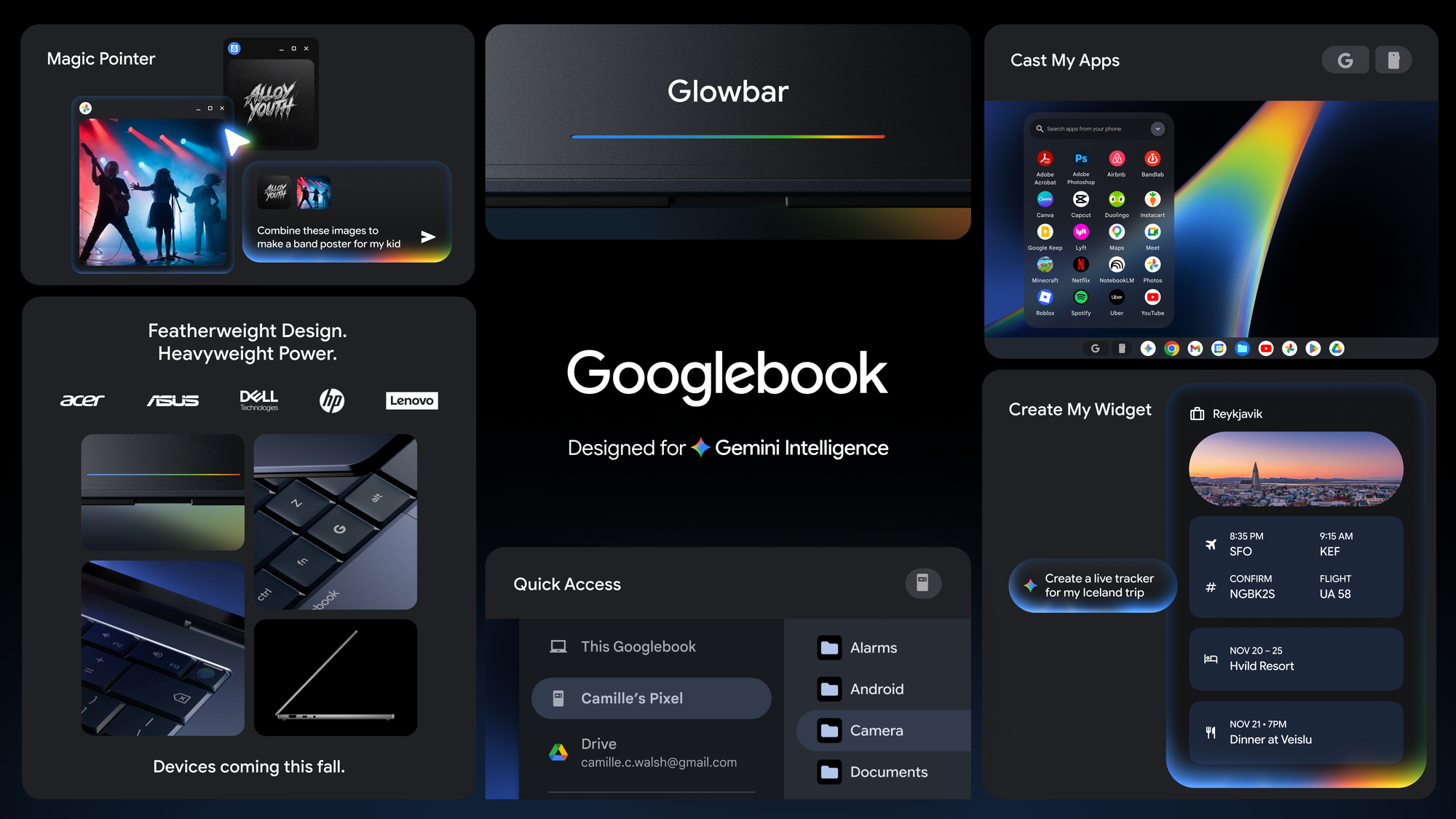
Google is introducing Googlebook, a new category of laptops built ground-up for Gemini Intelligence. The pitch is that the Chromebook was for a cloud-first world, and Googlebook is for an intelligence-first one. Whether that means Chromebook is going away, getting merged in, or quietly coexisting is one of the big open questions, and one we asked Sameer Samat, President of the Android Ecosystem at Google, directly in our sit down interview on the podcast this week.
One of the new headline features is Magic Pointer, a reimagined cursor built with DeepMind that surfaces Gemini suggestions when you wiggle it. Point at a date to set a meeting. Select two images to visualize them together. Yes, they really did mess with the cursor. We did not see this one coming.
Create My Widget comes to laptops too. Googlebooks run Android phone apps natively, no emulation, and Quick Access lets you browse phone files directly from the laptop. Acer, ASUS, Dell, HP, and Lenovo are the launch partners. Every Googlebook will carry a signature "glowbar" design element. Devices ship this fall.
→ [Read the Googlebook announcement]
The interoperability divide continues to get smaller.
Quick Share now interoperates with AirDrop, starting with Pixel and expanding to Samsung, OPPO, OnePlus, Vivo, Xiaomi, and HONOR this year. If you don't have a compatible device, any Android phone can now generate a QR code to share with iOS via the cloud. Quick Share is also coming to WhatsApp.
Even bigger: Google worked directly with Apple to rebuild the iOS-to-Android transfer process. Passwords, photos, messages, apps, contacts, home screen layout, and eSIM all migrate wirelessly. It launches on Galaxy and Pixel first.
We have many questions about how this came together and we also asked Sameer in our interview and were pretty astonished to hear about the inspiration for all the work done to cross the divide between Android and iOS.
→ [Read the sharing and switching announcement]
We've been tracking the updates to Android Auto all year and it continues to get its its biggest update in years. A Material 3 Expressive design refresh, customizable widgets, edge-to-edge Maps, and Immersive Navigation. Google calls this the biggest Maps update in more than a decade, with vivid 3D buildings, lanes, traffic lights, and stop signs.
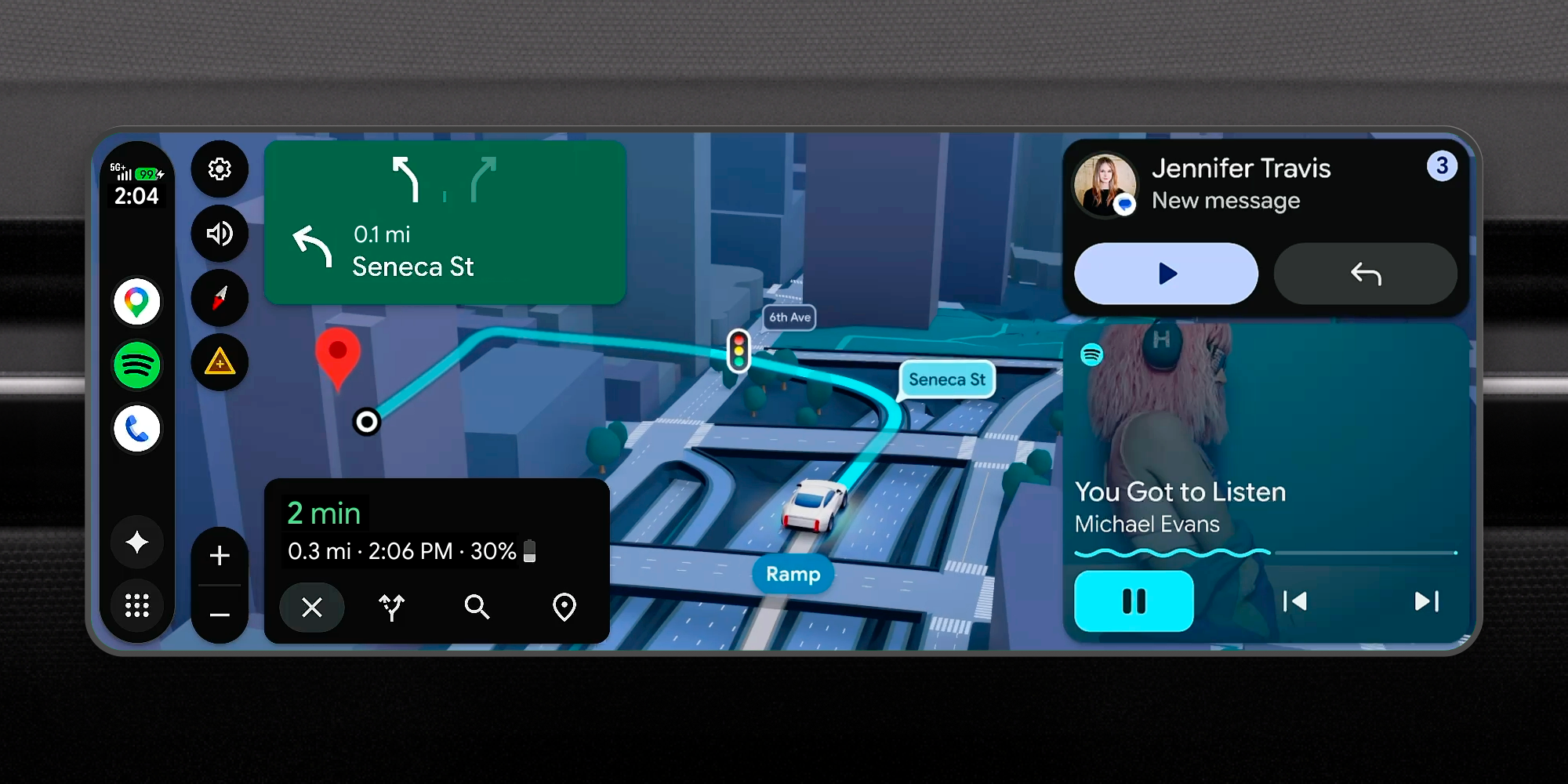
The fun part: you can now watch HD video (YouTube included) when parked or charging, and it transitions seamlessly to audio when you start driving. Dolby Atmos support is coming to select cars and apps. Gemini in Android Auto is rolling out widely now, and Gemini Intelligence lands in the car later this year, including DoorDash ordering by voice and Magic Cue auto-replies.
Cars with Google built-in are now in 100+ models across 16 brands. They get vehicle-aware Gemini that can identify dashboard warning lights or tell you if something fits in your trunk, plus live lane guidance using the car's front-facing camera.
→ [Read the Android Auto announcement post]
Android 17 brings a real push for creators, with a big partnership with Meta at the center:
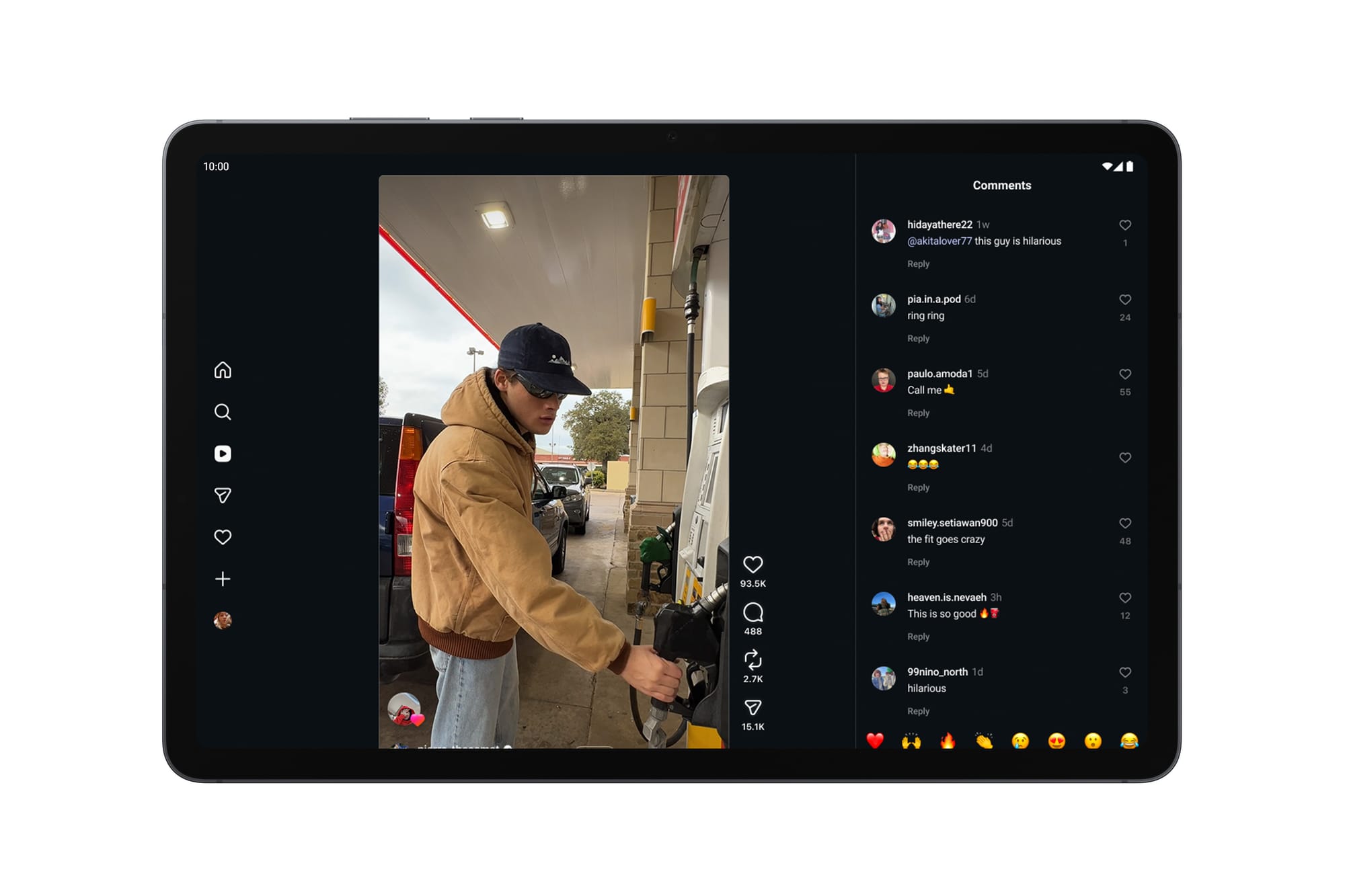
If you've been waiting for Android to be taken seriously as a creator platform, this is the year.
→ [Read the creator features announcement]
While the rest of the announcement is about getting more done faster, Pause Point is the opposite. Open a distracting app and you get a 10-second breather. During the pause, you can do a breathing exercise, set a timer, look at favorite photos, or jump to an alternative like an audiobook.
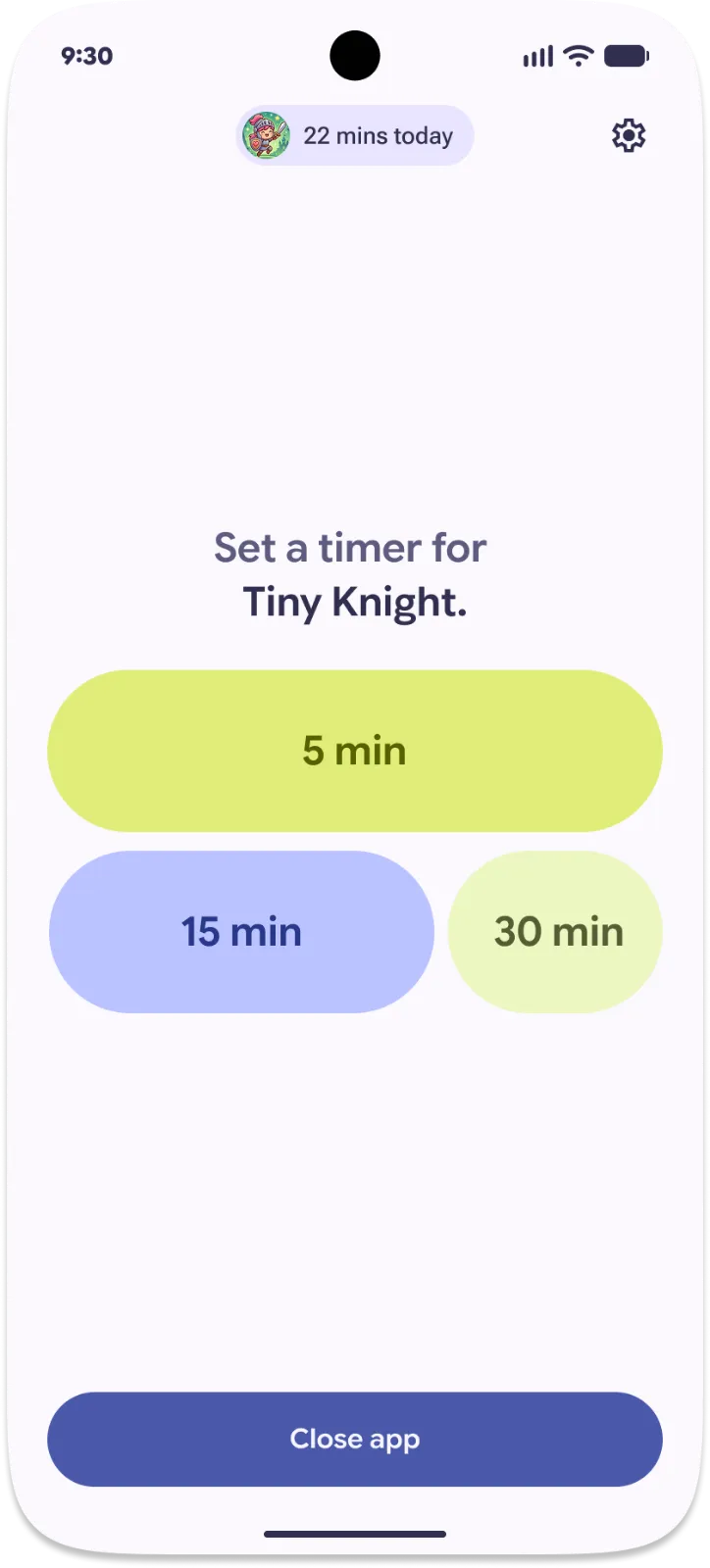
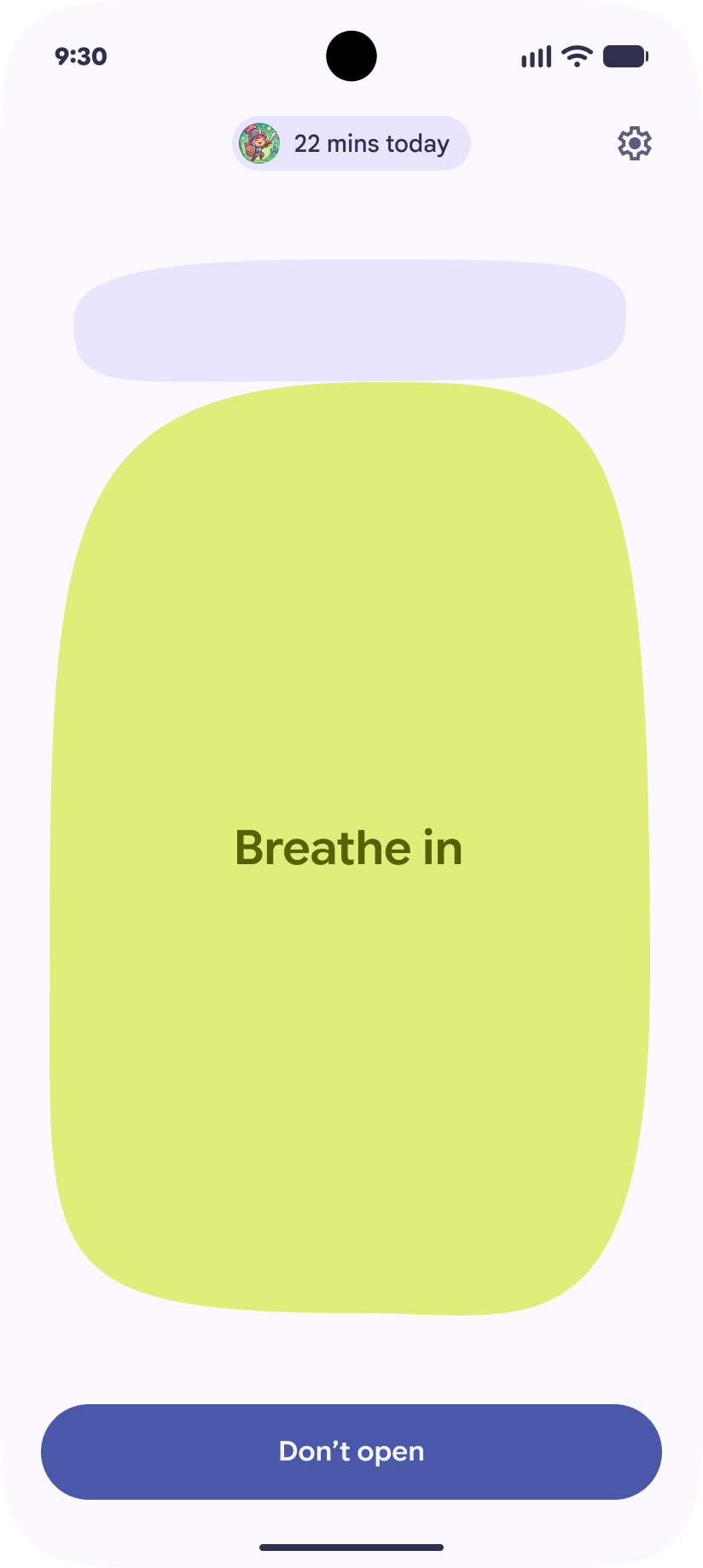
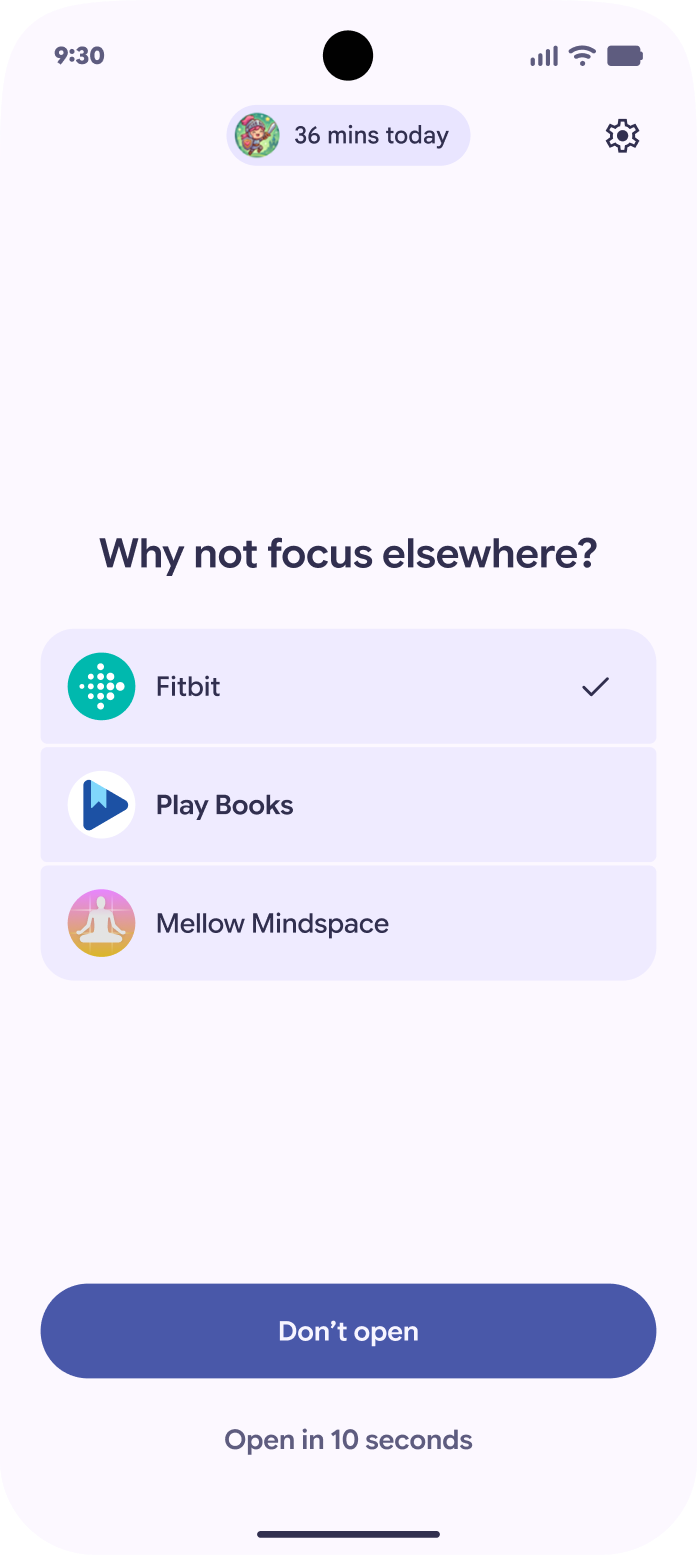
Take a Break with Pause Point
The detail that says everything: turning Pause Point off requires a phone restart. That's not a bug. Google wants the friction.
→ [Read the Pause Point announcement]
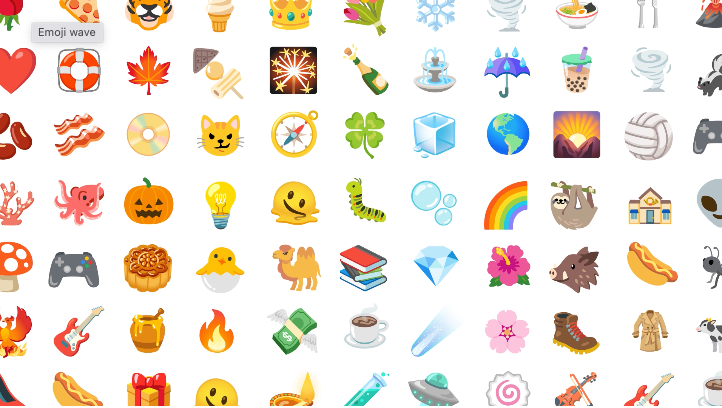
Google introduced Noto 3D, a new collection of 3D emoji rolling out across Google starting with Pixel later this year. Some of them are great. We will not be taking further questions on the burrito.
→ [Read the 3D emoji announcement]
The headline is Gemini Intelligence, but the bigger picture is that Google is making three huge bets at once. Agentic AI as a default. A new category of laptop. And cooperation with Apple and Meta on a scale we wouldn't have predicted a year ago. Quietly, in the middle of all that, it's doing things to improve every aspect of your experience on Android, whether it's improving your battery life, making your camera work better on Instagram or make it easier to dictate a text message or encourage you take a break with Pause Point, a feature designed to make you use your phone less.
Whether these new bets land, and whether the rest of the ecosystem (the OEMs not in the first wave, the developers whose apps Gemini will be navigating, the longtime Android users watching all of this from the sidelines) comes along for the ride, is the story of the next year and we'll definitely be tracking that with all of you, the Android Faithful.
But today, we're parsing all this news and to do so, we sat down with Sameer Samat, President of the Android Ecosystem, to talk about all of it. Watch the interview below or listen to it wherever you listen to podcasts.
What do you think of everything Google announced on The Android Show: I/O Edition? Write in to us at contact@androidfaithful.com and let us know!