The latest Chrome update brings native AI tools and the new Universal Commerce Protocol directly to the browser.

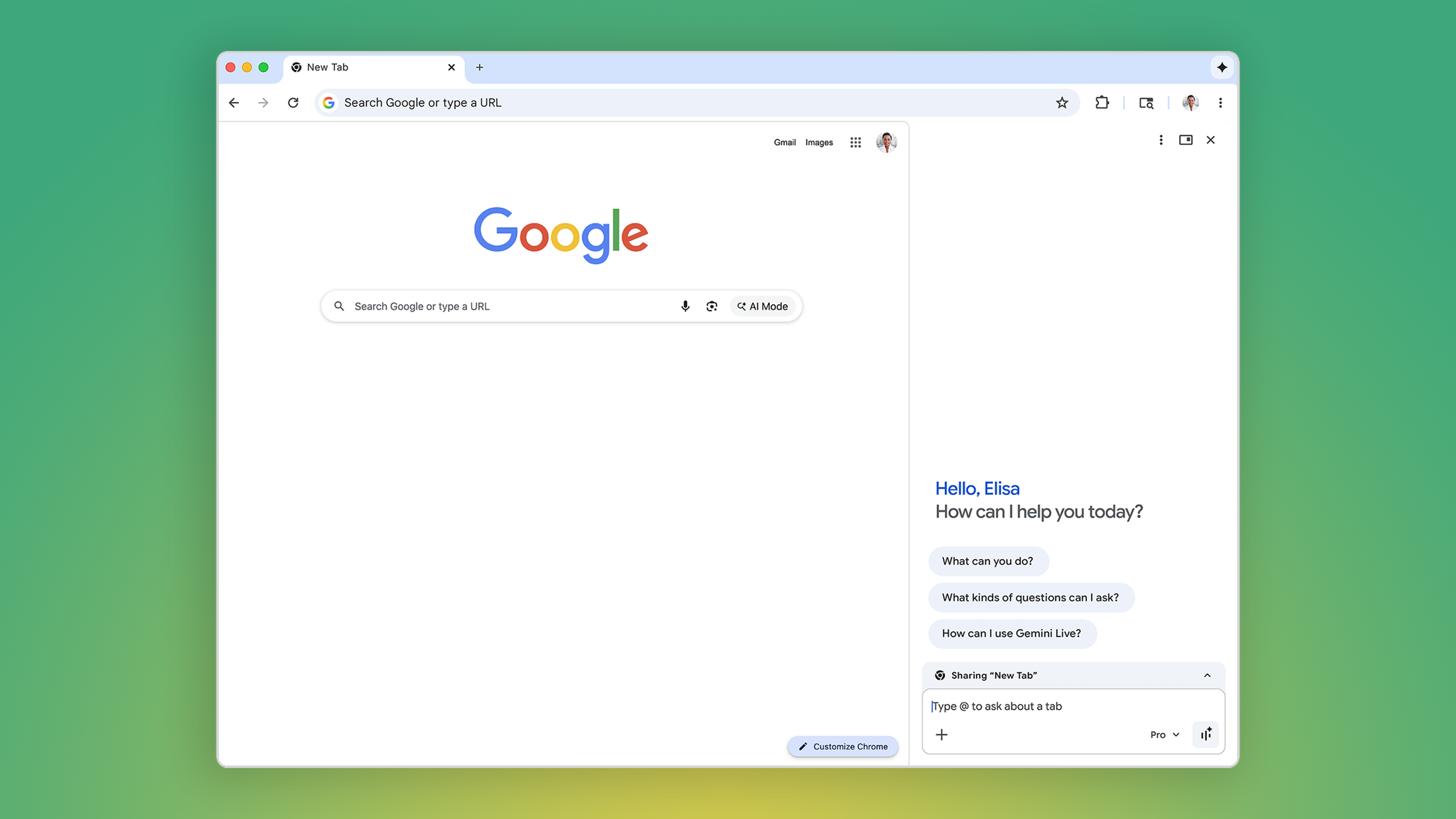
Google has announced native Gemini integration in Chrome. It's as feature-filled as its phone counterpart. The model has been refreshed with Gemini 3's capabilities, including the latest versions of Deep Think and Nano Banana, as well as Personal Intelligence integration. Gemini can also be set up to fetch info and research the web on your behalf.
Google outlined what's new in a blog post. Beginning today, in Chrome, Gemini will be available to opt in for Google AI Pro and Ultra subscribers in a new side panel you can surface and dock as your "browsing assistant." It's easier than the current Gemini floating desktop app, where you have to select an active tab or application window before typing a query, and it directly interacts with the page you're on in the web browser. The side panel can do everything Gemini 3 can, including comparing data across tabs and summarizing what you're browsing.
Since this is Gemini 3, Nano Banana's abilities are also stuffed into the browser for generative imagery shenanigans. Pop out the side panel, then ask Gemini to do the deed without having to download or upload additional assets for your creation.
Auto-browsing is another noteworthy feature of this Gemini integration in Chrome. For Pro and Ultra subscribers in the U.S., you can set up Gemini to handle multi-step browsing on your behalf. In practice, you can ask Gemini to help with things like travel itineraries and other mundane logistics of life, like paying a bill or filling out a PDF.
These new Chrome features also mark the public debut of Google's Universal Commerce Protocol (UCP). It's an open standard that the company co-developed with various retail partners. Instead of just scraping websites and fetching data, UCP lets Gemini interact with the retailer's backend and even negotiate on your behalf.
While it's not directly Android news, all of this speaks to what's to come to the rest of the connected Google ecosystem. Ultimately, Google wants you to interact with the bot in any way possible, even if it means putting it to work to do all the menial tasks of surfing the web.
If you're interested in these new Chrome features, ensure you're running the latest version of Chrome on your desktop or Chromebook Plus. Click the new Gemini icon that appears in the top-right toolbar, then opt in to the side panel experience. As for Personal Intelligence integration, a full public release is slated for the coming months. Only Pro and Ultra subscribers in the U.S. will find the beta toggles under Gemini Settings.